AI automation by voice: invoices and bank statements from arrival to posting
Invoices arrive by e-mail, on Google Drive and on paper. How to collect, import and post them by voice in Neksus AI OCR, with your confirmation.
Development of Neksus, the accounting and ERP software we build at COMMIT d.o.o. in Banja Luka, began long before artificial intelligence became part of everyday use. The program grew out of decades of experience in accounting and work with companies.
Today artificial intelligence is changing the way many jobs are done, including bookkeeping. When people talk about AI in accounting, they usually mean a program that reads the data from invoices by itself, work that was done by hand for years. That is why we build AI into Neksus where it saves our users the most time. We wrote earlier about how Neksus AI OCR reads invoice data in the article Neksus OCR: Automated Inbound Invoices Powered by Artificial Intelligence (AI).
One of those places is the work before posting itself. Invoices now arrive in several places: by e-mail, on Google Drive, and some still on paper. Before posting, someone has to collect them, download them and put them into the program. For a company with many expenses, or an agency that keeps the books for dozens of clients, this is repeated every day.
Neksus AI OCR reads the data from invoices and bank statements by itself, and it can also be used by voice, on a computer and on a phone. You say what you need, for example “uzmi račune iz maila” (get the invoices from e-mail) or “označi današnje račune i uvezi ih” (select today’s invoices and import them), and the program finds them, imports them and reads them. You review and confirm.
Documents from e-mail and Google Drive
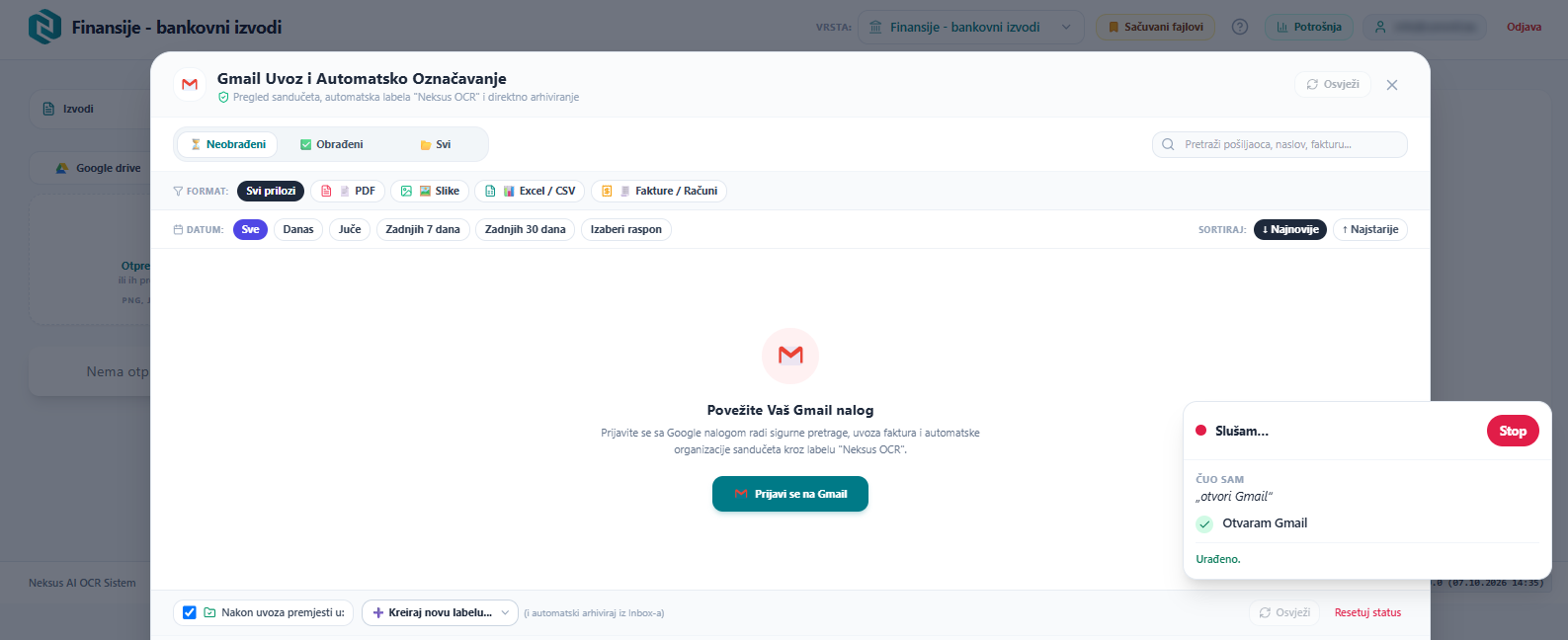
Instead of opening your e-mail, downloading attachments and putting them into the program, you say which documents you want: from which sender, from which day, or only PDF files. The program finds them in Gmail, and on Google Drive by folder or file name. When you confirm, it imports them and sends them for processing.
Imported e-mails are moved out of the inbox, so what remains there is what still waits to be processed.
Scanning receipts with your phone
A paper receipt does not need a separate receipt scanning app. On your phone you say “slikaj račun” (photograph the receipt), take the photo and confirm sending it for processing.
AI OCR then reads the supplier, the line items and the amounts, the same as for an invoice that arrives by e-mail.
From invoice to posting
The work in the program is also done by voice. You choose the document type (“idemo na troškove”, let’s go to expenses), open the invoice, add a supplier who is not yet in the system and say which account the expense goes to, for example “konto troška je 5151” (the expense account is 5151).
The same applies to bank statements: you assign accounts to the statement lines and start closing the statement with one sentence. How the AI reads a statement from a PDF is described in the article Smarter bank statement booking directly from PDF.
Decisions stay with you
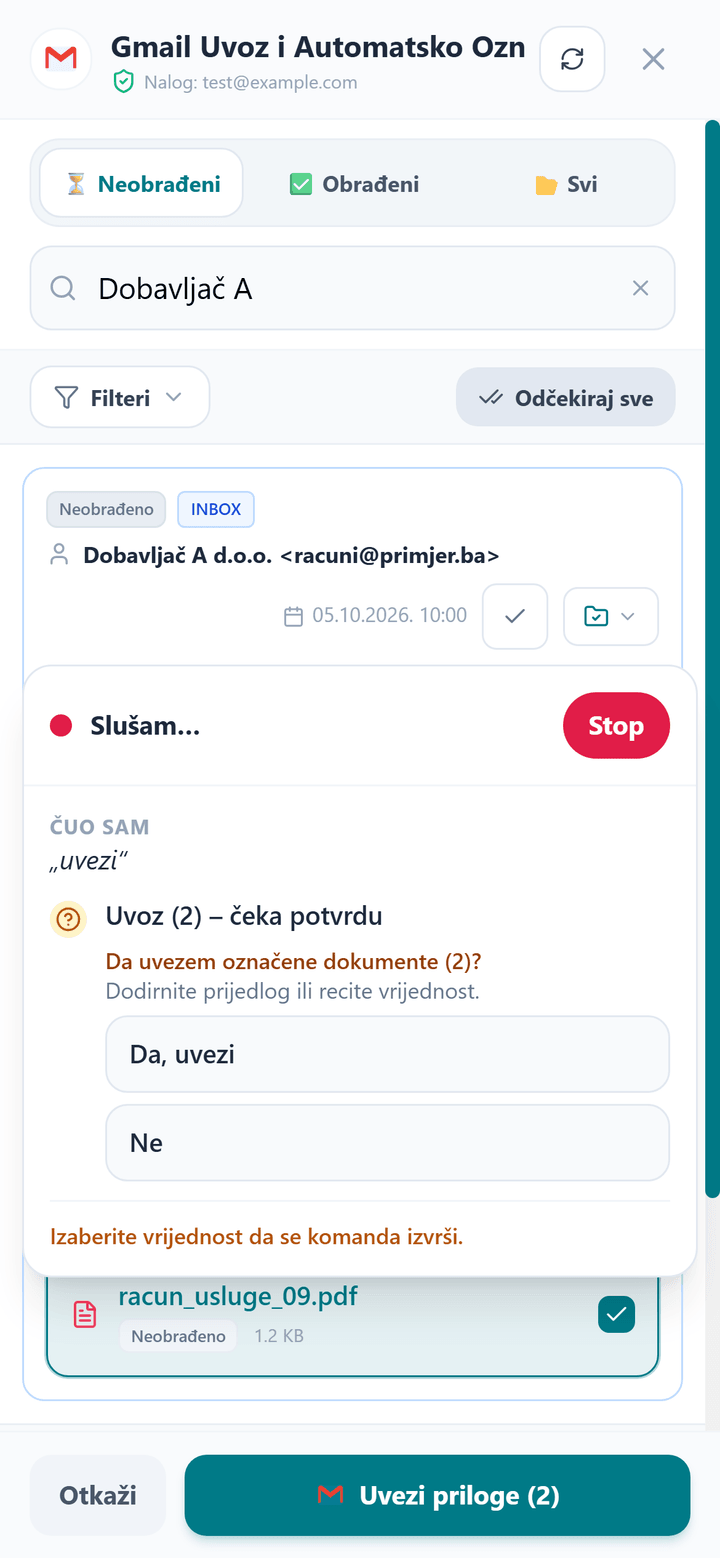
Nothing is saved by voice without your confirmation. Before importing, sending photos and saving, the program asks, and you answer “da” (yes) or “ne” (no), by voice or by tapping. A wrong change is undone with the word “poništi” (undo).
The data on the documents is still read by AI OCR. With your voice you run the work: you choose what is imported, which account an expense goes to and when a document is saved.
AI for accountants and companies
In an accounting agency the same work is repeated for every client: statements and invoices arrive by e-mail and have to be downloaded, posted and closed. By voice this is done without searching through menus, and the confirmation stays with the accountant.
For a company that enters its own documents, voice helps most with expenses: an invoice is imported from e-mail or photographed with a phone, and AI OCR reads the data. If an agency keeps the company’s books, the accountant still checks and posts.
Do you have to learn voice commands by heart?
No. Speak in your own words: “uzmi iz maila” and “otvori mi Gmail” do the same thing, and one sentence can contain several actions. Commands are spoken in the local language.
Is the voice recording kept?
No. The recording of a spoken sentence is used only to carry out the command, and Neksus does not keep it. The microphone is switched on only when you tap it.
In short
Invoices and bank statements arrive from several places, and in Neksus AI OCR you collect them in one place by voice: from Gmail, from Google Drive and from your phone camera. AI OCR reads the data, and you choose what is imported and posted and confirm everything.
If you are choosing accounting software with AI document processing, we will show you in a presentation how working by voice looks with your own invoices and statements. Read more about the program on the Neksus AI OCR page.